The prepress bottleneck

Your 24/7 Prepress Assistant Keeping Your Presses Running

Tired of prepress holding your shop hostage? Pressley fixes it—licensed seats plus a private server that keeps fuel flowing to your presses 24/7.

You control the seats. Your private server runs nonstop—parallel submitters, not one prepress queue.

PDF Workflow · How it works

Pressley App

The Prepress Bottleneck is Brutal

Sales chase updates, customers wait on proofs, production yells when files aren't ready—and your presses sit idle. For decades, this has been the painful reality in every print shop.

Customers still send the wrong file types when a simple PDF would do.

The fix: PDF Workflow How your shop changes

Pressley Changes Everything

A tireless, accurate prepress assistant handles standard, repetitive PDF workflow tasks at machine speed—keeping your presses fed while skilled prepress focuses on the jobs that need human expertise.

PDF in, production out. Seat holders submit customer PDFs from anywhere. Pressley automation on your private server handles folder structures, proofs, and RIP-ready files at machine speed—so your expert prepress team focuses on the complex work.

Standardize on PDF—then let Pressley run

Print lives in PDF. When clients send a PDF at the right scale, your team renames it to shopVOX order and line and drops it in—folders, checks, proofs, and RIP-ready output follow automatically.

Pressley runs repetitive PDF work at machine speed—steady fuel for your presses—while seat holders submit and experts stay on complex art.

The Pressley PDF Workflow How your shop changes

PDF Workflow

We Live in a PDF World—So Does Pressley

Print runs on PDF—images, fonts, and color space in one file, the standard PitStop and your RIP expect. Train customers to send PDFs at the right scale. Your team renames to shopVOX order and line (e.g. 26200 1.pdf), drops it in Pressley, and automation builds folders, proofs, and production files.

Why PDF files work best with Pressley · Drop & Ship

Why Pressley

Prepress for Your Whole Shop

Licensed Pressley users submit and track from anywhere—office, home, or on the road—while your private server runs automation 24/7. You choose who gets seats; the engine keeps typical jobs moving for the whole shop.

Each shop runs on its own isolated Windows Server—parallel access, fully private, sized to your volume.

Sales, CSR & PM

With a Pressley seat—receive customer PDFs, rename to order and line, and drop in. No Switch or PitStop knowledge required.

Pressley (24/7)

PDF in: folders, checks, proof PDFs, production PDFs—always on, always consistent.

Skilled prepress

Technical seats: app + VPN-mounted file tree like your NAS. Complex art, exceptions, and quality calls.

Production

Printer-ready files when the press needs them—less yelling across the shop floor.

Parallel access — not one desk

Sales

CSR / PM

Prepress

Pressley App (licensed seats)

Customer PDFs in parallel

Hosted file server Enfocus automation RIP-ready files

No queue at one prepress desk—your shop isn't hostage to a single submitter line. Standard seats in the app; Technical seats can mount the full tree over VPN. Seat types

Competent is not expert. Shop rules in automation keep output consistent even when the submitter isn't a prepress veteran.

How Your Pressley Assistant Works

Customer PDF in—rename to order and line—drop in Pressley. Automation on your server handles the rest at machine speed; your experts stay on the hard stuff.

Drop & Ship
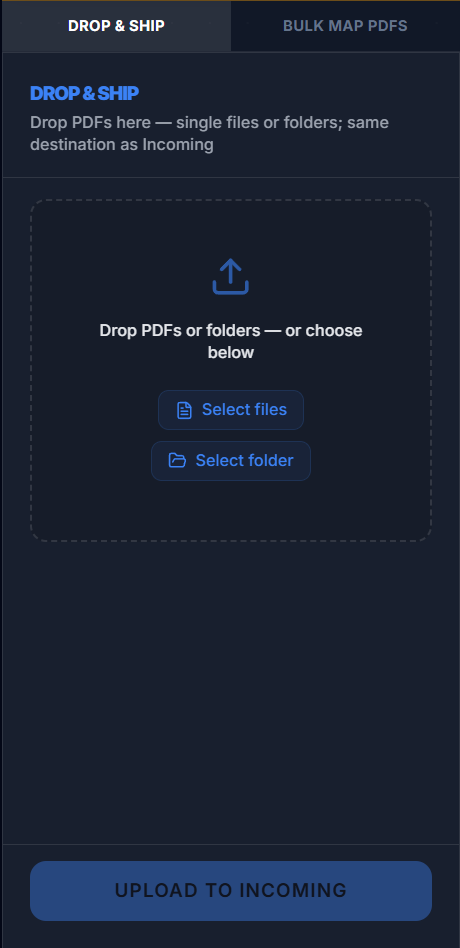
Drop and Ship — drag and drop PDFs or folders

Submit From Anywhere

Seat holders (Sales, CSR, PM, and more) drag-and-drop customer PDFs into Pressley from the office, home, or on the road—rename to order and line; no fighting for one prepress desk.

Pressley Takes Over

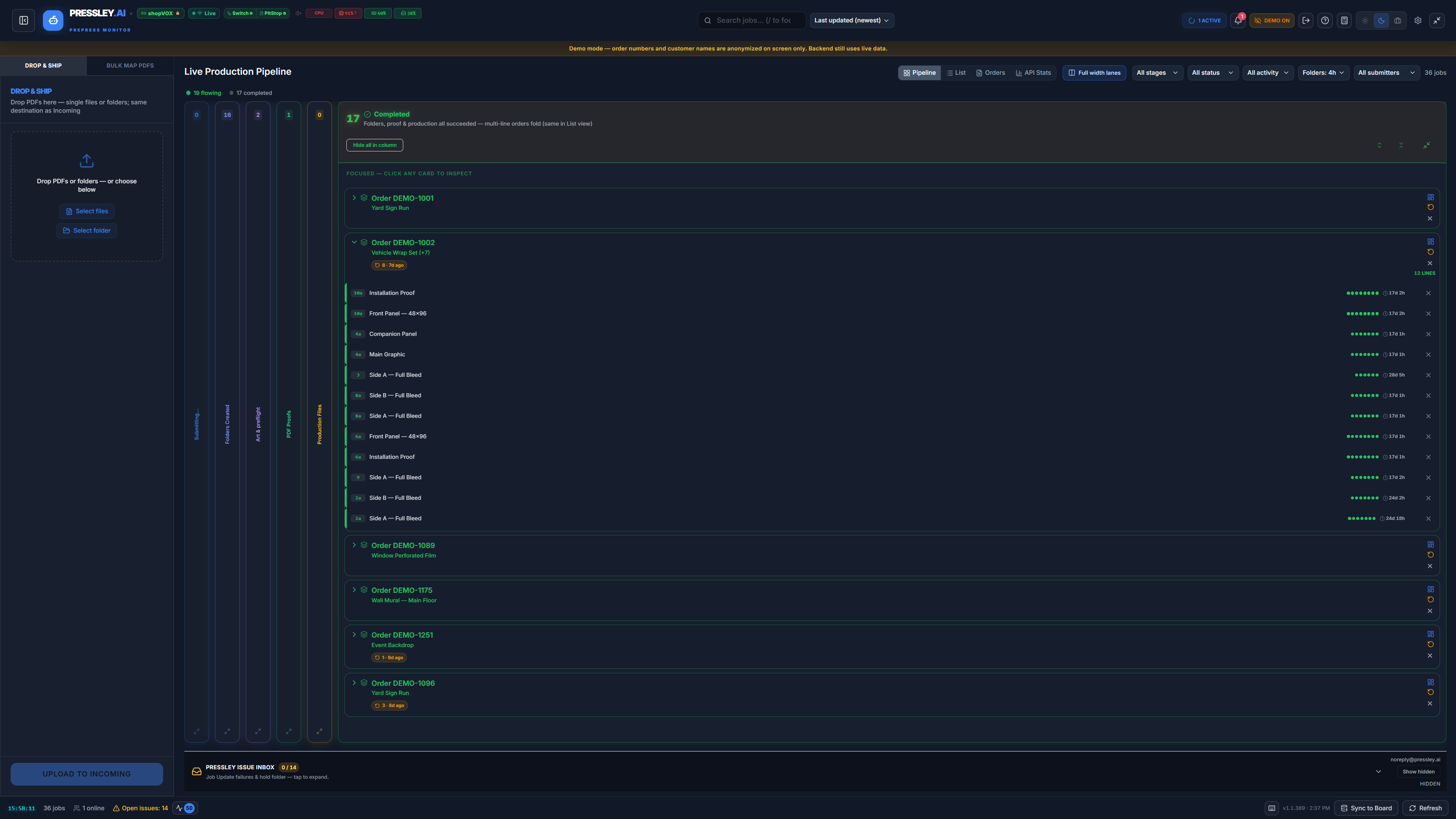
Your always-on assistant builds folder structures, runs PitStop checks, generates proofs, and prepares production-ready files at machine speed.

Live Visibility

Everyone sees real-time job status in the pipeline. No more chasing or “Where's my job?” messages.

Proofs & RIP-Ready Output

Proof and production PDFs land in your pipeline and folders—view status, open files, and keep fuel flowing to your RIP. No approval workflow in Pressley—that stays in shopVOX if your shop uses it.

Explore all features

Serious Automation. App Access by Seat.

Licensed users work in the app; serious automation runs 24/7 on your private server—so typical jobs reach production without the usual pile-up.

PDF → App → File Server → Enfocus → RIP

Licensed Users + shopVOX
Pressley App
Private File Server
Enfocus Switch + PitStop
Your RIP

Pressley is not only an app—your shop gets hosted job storage on a private server where active folders, proofs, and production files live. Optional XML or JSON for your RIP. What is a file server?

Learn more about our technology

Keeping Your Presses Running

Prepress capacity for your whole shop—licensed seats for your submitters.

A tireless prepress assistant on your private server—not one desk—keeps fuel flowing to your presses while experts handle the hard files. Managed Switch + PitStop; printer-ready PDFs for your RIP.

Real shop work

Banners to Building Wraps — Same Pipeline

Pressley is built for the jobs that actually stress prepress: wide format, rigid, fleet, and retail — not cute little business cards. Example: a 4×8 retail banner from drop to rip-ready without rebuilding folders by hand.

  1. 1

    Submit the art

    PM or CSR drops the wide-format PDF into Pressley (or triggers from shopVOX) — sized file, line item, done.

  2. 2

    Job folders on your file server

    Pressley builds your folder tree on your dedicated hosted server and pulls dimensions, substrate, finishing, and account rules from shopVOX.

  3. 3

    Preflight at scale

    PitStop catches resolution, bleed, fonts, and profile issues before someone burns vinyl on the wrong setup.

  4. 4

    Proof PDF for the client

    Branded proof with job data, scale notes, and finishing callouts — the same “for approval” artwork type your shop already uses, built automatically.

  5. 5

    Rip-ready output

    Marks, bleed, cut paths, and production PDFs land in your rip folder — flatbed, roll, or router picks it up.

Pressley PDF proof for a wide-format job with shopVOX data
Proof built from shopVOX specs — same flow for banners, rigid, fleet, and retail.

Agreement preview

Size Your Private Pressley Server

Pick a hosting model and power tier to preview what we typically put in your future agreement before you sign. There is no checkout, no prices, and no order placed on this website. Your selections are included when you book a demo so we can finalize real specs, seats, and terms together.

We put this here for transparency—so you can explore, compare, and take time to think before any agreement. No pressure to decide on the spot.

Explore options up front so your demo conversation starts with context—not a shopping cart.

Stronger tiers process more jobs at the same time on your server while licensed users work in parallel in the app—not queued behind one desk.

Step 1 — Hosting model

Step 2 — Choose a power tier

Illustrative only — not a quote or contract. Your signed agreement is finalized on your demo.

Book a Personalized Demo

Ready to keep your presses running?

Rush jobs, wrong PDFs, presses waiting—we've lived it. Tell us about your shop and we'll walk your setup on a real demo.

Server sizing from the configurator above is sent with your request. We finalize agreement terms on your demo—no checkout on this site.

Common Questions

View full FAQ

About the Founder

Built by Tyler MacDonald — 25+ years in print, shopVOX user, automation specialist. Pressley changes who can participate in prepress, not only how fast the same few people click.

Connect on LinkedIn